slPhantomRemote
Control Devialet Phantom Speakers
slPhantomRemote
slPhantomRemote - Control your Devialet Phantom speakers from Windows. Auto-discovery, playback control, source management, and command-line automation.
Quick Links
- Online Documentation - Browse all docs in your browser
- User Guide - Complete feature guide
- Download slPhantomRemote
- slPhantomRemote Specification
What is slPhantomRemote?
Windows desktop control for your Devialet Phantom speakers with keyboard shortcuts, system tray integration, and powerful command-line automation.
Key Features
Auto-Discovery with mDNS, Device management, Setting a favorite to auto-connect
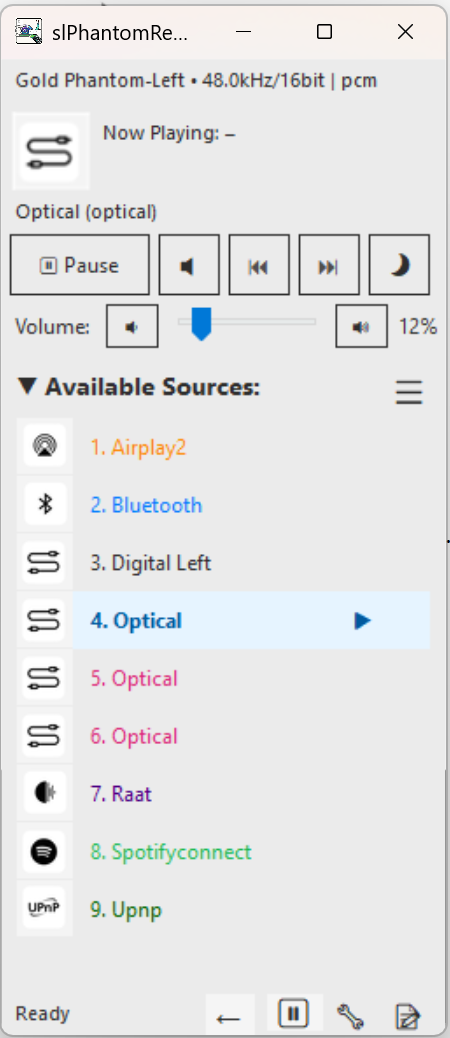
Play/pause/next/previous, Volume control with smart acceleration, Sample rate and bit depth display
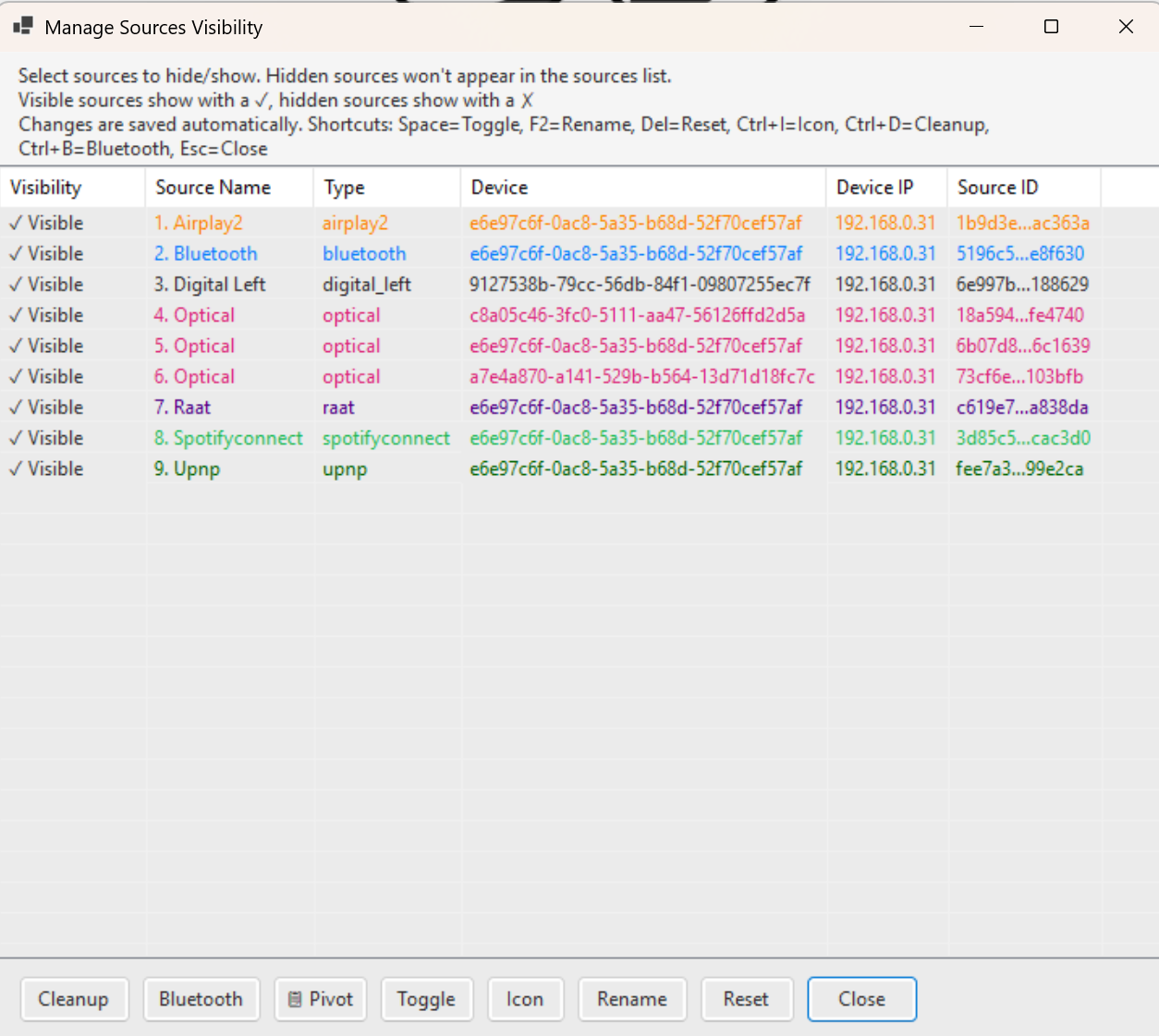
Color-coded sources, Custom icons, Renaming, Active highlighting, 47+ built-in icons
Light/Dark themes, System tray integration, Customizable global hotkeys
Logging system, Network diagnostics, API explorer, Debug tools
Download and Installation
Get slPhantomRemote
Download slPhantomRemoteRuntime Requirement
.NET 8.0 Runtime is required to run slPhantomRemote.
If not installed, the application will automatically prompt you to download it from Microsoft.
Download .NET 8.0 Runtime manually
Installation
Download, Extract, Run. No installation needed.
Config saved to %LOCALAPPDATA%\slPhantomRemote\
Screenshots
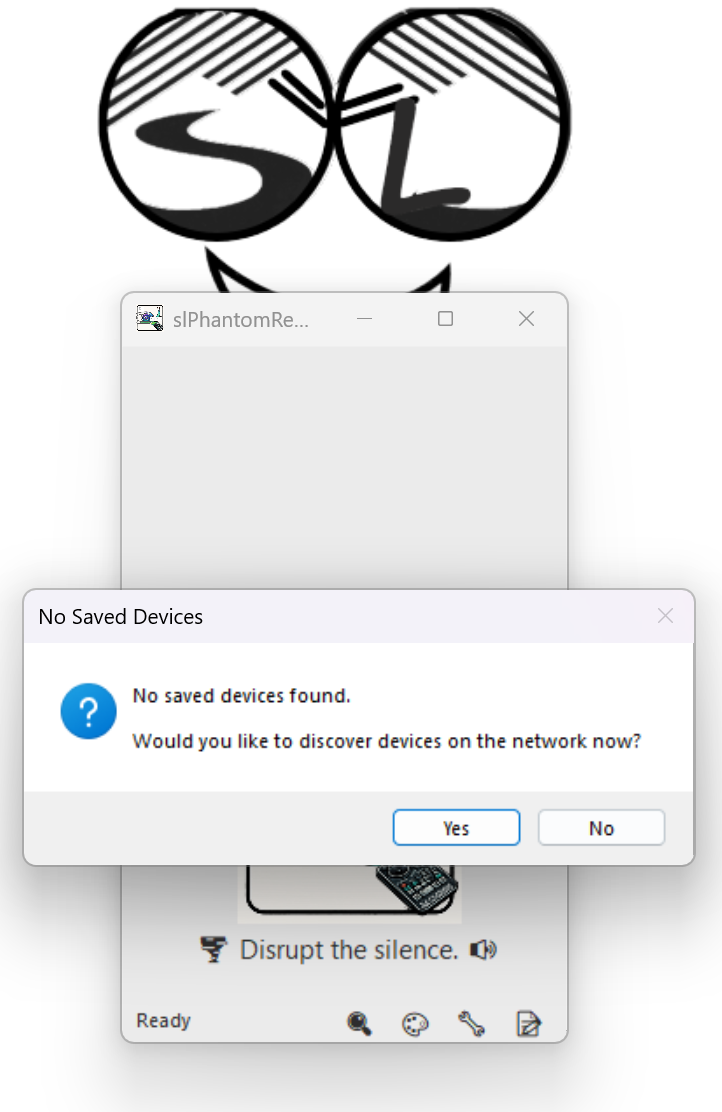
First Run
Now Playing
Source Management
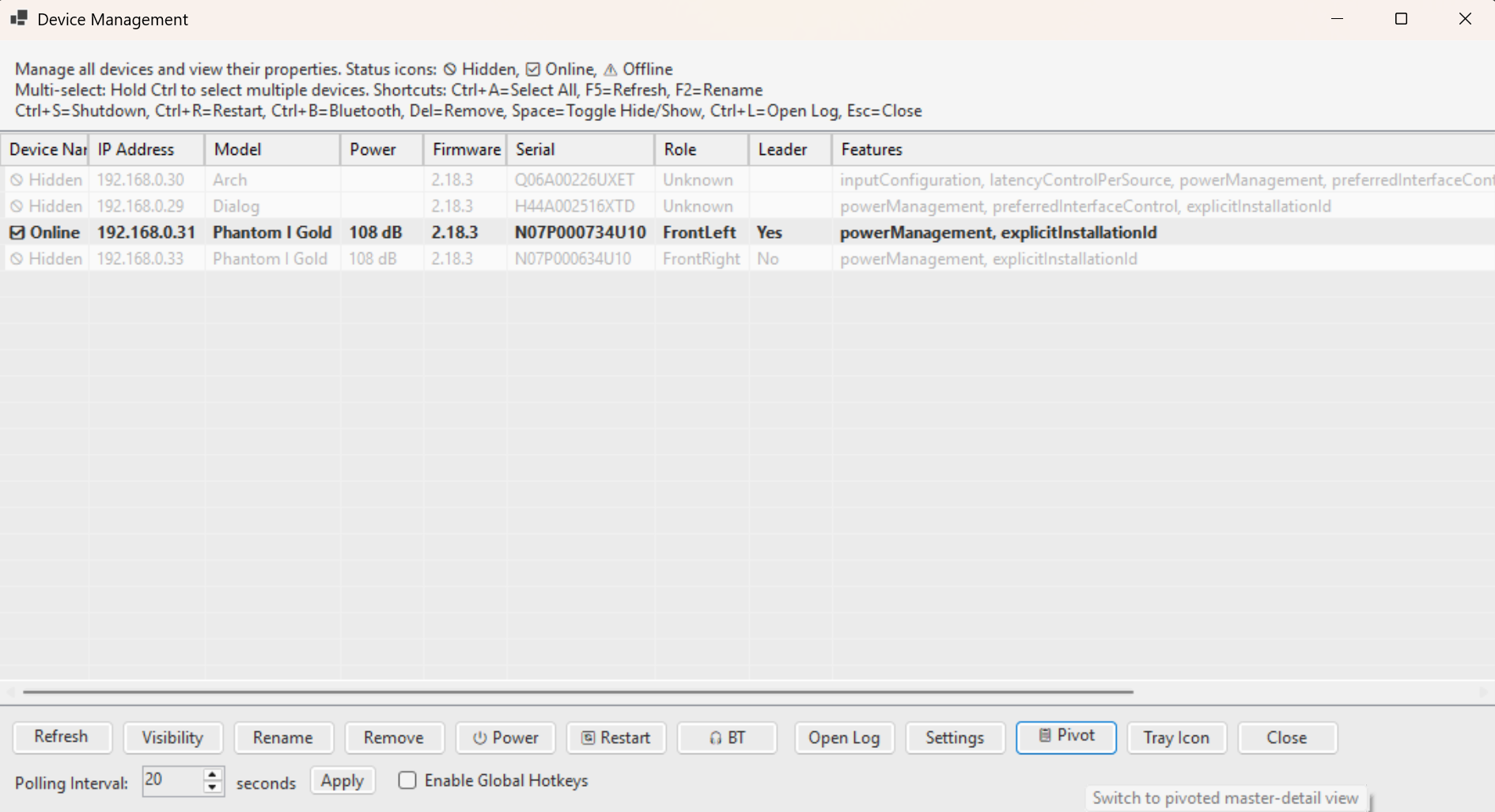
Device Manager
Quick Start
- Launch slPhantomRemote.exe
- Auto-discovery finds devices on your network
- Select your Phantom from the list
- Control playback, volume, and sources
Essential Keyboard Shortcuts
| Shortcut | Action |
|---|---|
| Space | Play/Pause |
| Up/Down | Volume control |
| Left/Right | Previous/Next track |
| M | Mute toggle |
| 1-9 | Quick source selection |
| Ctrl+T | Minimize to system tray |
| Ctrl+Shift+T | Toggle Light/Dark theme |
Command Line
# Discover devices
slPhantomRemote.exe -discover

# Connect and control
slPhantomRemote.exe -connect 192.168.1.100
slPhantomRemote.exe 192.168.1.100 -play
slPhantomRemote.exe 192.168.1.100 -volume 30

# Interactive CLI mode
slPhantomRemote.exe uimode:cli
Requirements
- Windows 10/11 (64-bit)
- .NET 8.0 Desktop Runtime
- Devialet Phantom firmware 2.14+
- Local network access (ports 5353 UDP, 80 TCP)