Features
MBXRemote is a comprehensive Windows desktop client for MusicBee Remote, implementing the MusicBee Remote Protocol v4.5. Here's everything it can do.
PartyMode - Web-Based Guest Jukebox
Let guests browse your library and add songs to the queue from their phones. No app install required - just open the URL in any browser.
Connection Management
Auto-Discovery
MBXRemote automatically discovers MusicBee instances on your network using UDP broadcast on port 5900. No manual IP configuration required.
Connection Favorites
Save frequently used connections as favorites for quick reconnection. The last used connection is remembered for convenience.
Auto-Reconnect
If the connection is lost, MBXRemote automatically attempts to reconnect with exponential backoff, ensuring minimal interruption.
Remote Desktop Access
One-click button to open a Remote Desktop (RDP) session to your MusicBee host. Quickly access the full MusicBee interface on your media center or jukebox PC when you need direct control.
Library Management
Complete synchronization of your MusicBee library to a local SQLite database. Browse 200,000+ tracks offline with instant search.
Efficient virtual list rendering handles massive libraries smoothly. Tested with 70,000+ tracks, designed for 200,000+.
Navigate your library by Genre, Artist, Album, or Track. Drill down through your collection with breadcrumb navigation.
Search across all metadata fields including title, artist, album, and genre. Real-time results as you type.
Right-click any track to "Add to Queue" or "Play Now". Queue multiple tracks at once with bulk selection. Uses file paths for reliable playback.
Extended Library Sync
Protocol v4.5 enables full synchronization of MusicBee's engagement metadata to your local SQL cache. Query your music library with SQL for advanced filtering and analytics.
Sync play counts and skip counts for every track. Find your most played songs and identify tracks you always skip.
Track when each song was last played. Build "recently played" queries and find forgotten favorites.
Sync your love/ban status from MusicBee. Filter by favorites or exclude banned tracks from your views.
Full 5-star rating sync with your MusicBee library. Sort and filter by rating in the SQL cache.
Remote Library Editing
Protocol v4.5 enables bi-directional metadata sync - not just reading from MusicBee, but writing back changes to your library.
Rate any track from 0-5 stars right from the Library view. Right-click → Set Rating. Changes sync immediately to MusicBee.
Mark any track as Loved (♥) or Banned (⊘) from the Library view. Right-click → Love Status. Perfect for curating your library remotely.
Select multiple tracks and apply ratings or love status in bulk. Rate an entire album or mark all tracks by an artist as loved.
See your changes reflected immediately in the Library view. Rating and Loved columns update in real-time as you make changes.
Real-Time Library Updates
MBXRemote keeps your local library cache in sync with MusicBee automatically. When tracks are added, removed, or modified in MusicBee, your local cache updates in real-time - no manual sync required.
Enable in Settings to receive live updates. Status bar shows "LIVE" with event count when active.
When you edit track metadata in MusicBee, changes appear in MBXRemote immediately.
Ratings, play counts, and last played times sync automatically as you listen.
New tracks added to MusicBee appear in your cache. Deleted tracks are removed.
PartyMode - Web-Based Guest Jukebox
Transform your MusicBee setup into a multi-client jukebox. Guests connect via their phones or tablets to browse your library and request songs - like a modern bar jukebox or Logitech Media Server web UI.
How to Use PartyMode
- Enable PartyMode - Go to Settings > Firewall and toggle PartyMode on
- Generate a PIN - Click "New PIN" and save it somewhere safe
- Show QR Code - Click "Show QR Code" to generate a printable QR code
- Share with guests - Print the QR code or display it on screen - guests scan and they're in!
- Request songs - Guests browse or search your library and tap to add songs to the queue
Tip: The QR code includes the PIN, so guests go straight to the jukebox without typing anything. For manual access, the base URL is shown in the status bar.
QR Code Setup - Step by Step
The QR code feature makes guest access effortless. Here's the complete walkthrough:
Step 1: Enable PartyMode
- Open MBXRemote and go to Settings > Firewall
- In the PartyMode (Web Jukebox) section, check "Enable PartyMode web server"
- The status will change to 🟢 Server running
- Note the Access URL shown (e.g.,
http://192.168.1.100:8080/)
Step 2: Generate a PIN
- Click the "New PIN" button to generate a random 8-digit PIN
- The PIN is displayed in the settings and can be viewed/changed anytime
Step 3: Generate and Print QR Code
- Click the "Show QR Code" button
- A QR code dialog appears with your connection URL and embedded PIN
- Click "Print" to print the QR code for display
- Or click "Copy URL" to share the link directly
Step 4: Guest Access
- Guests scan the QR code with their phone camera
- Their browser opens directly to the jukebox (PIN is in the URL)
- The PIN auto-fills and they're logged in instantly
- They can now browse albums, search tracks, and queue songs!
Manual Access (No QR Code)
If guests can't scan the QR code, they can access manually:
- Tell them the URL (shown in the status bar, e.g.,
http://192.168.1.100:8080) - They enter the URL in their browser
- They enter the PIN you gave them
- They tap "Join Party" to access the jukebox
HTTP server runs inside MBXRemote on a configurable port (default 8080). No separate installation required.
Secure guest access with an 8-digit PIN. Guests enter the PIN once to get a session token. QR codes embed the PIN for instant access.
Responsive mobile-first interface built with Alpine.js + Tailwind CSS. Works on any phone, tablet, or laptop browser.
Guests can browse albums and search your entire library. Full-text search with instant results.
One tap to request a track. Songs are appended to the MusicBee Now Playing queue. Rate limiting prevents spam.
Guests see what's currently playing and how many tracks are in the queue. Status updates every 5 seconds.
PartyMode Settings (Settings > Firewall)
| Setting | Default | Description |
|---|---|---|
| PartyMode Enabled | Off | Master toggle for the web server |
| Port | 8080 | HTTP server port (1024-65535) |
| PIN | Auto-generated | 8-digit guest access code |
| Session Timeout | 30 min | How long guest sessions last |
| Max Queue Per Session | 3 | Pending requests limit per guest |
| Rate Limit | 10/min | Maximum requests per minute |
| Auto Firewall | On | Auto-configure Windows Firewall |
Security Model
- Network Isolation: Only accessible on local WiFi network
- PIN Required: No access without the party PIN
- Limited Permissions: Guests can only browse, search, and queue tracks
- Rate Limiting: Per-session and per-minute limits prevent abuse
- Session Expiry: Tokens expire after 30 minutes (configurable)
PartyMode Settings
PartyMode Status Bar
Mobile PIN Entry
Mobile Album Browse
Mobile Search & Queue
Playback Control
Full playback control: Play, Pause, Stop, Next, Previous. Click controls or use keyboard shortcuts.
Precise position control with scrub slider. Click anywhere to jump to that position in the track.
Multi-layer volume control visualization showing Hardware, System, App Mixer, and MusicBee internal volume levels.
Toggle shuffle mode and cycle through repeat modes (off, track, all). Visual indicators show current state.
Now Playing
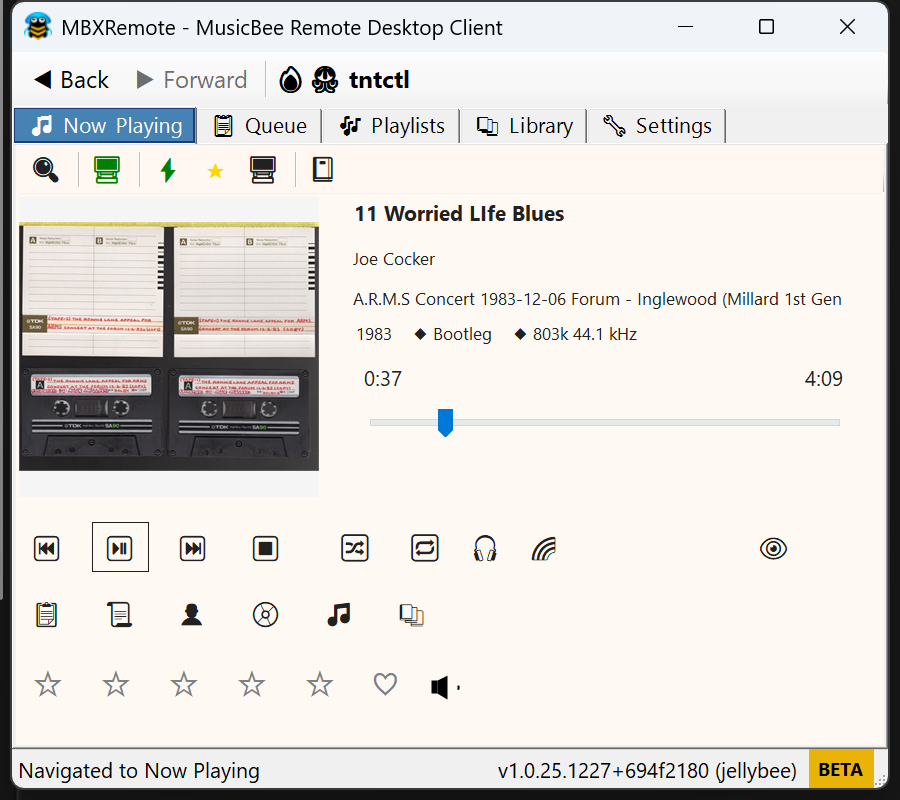
Now Playing View
Queue Management
- Album Art: High-resolution cover art display
- Track Info: Title, artist, album, duration, rating
- Lyrics: Display synchronized lyrics when available
- Rating: 5-star rating with half-star support
- Love/Ban: Mark tracks as loved or banned
Queue & Playlists
Playlist Management
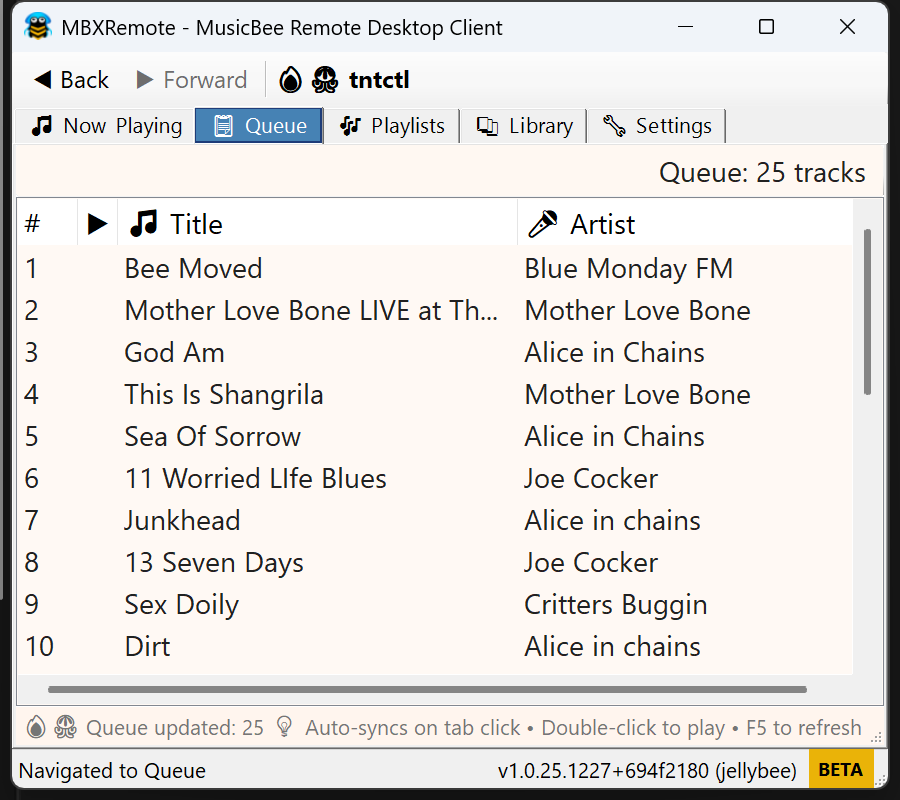
- Queue View: See upcoming tracks in the play queue
- Drag & Drop: Reorder queue by dragging tracks
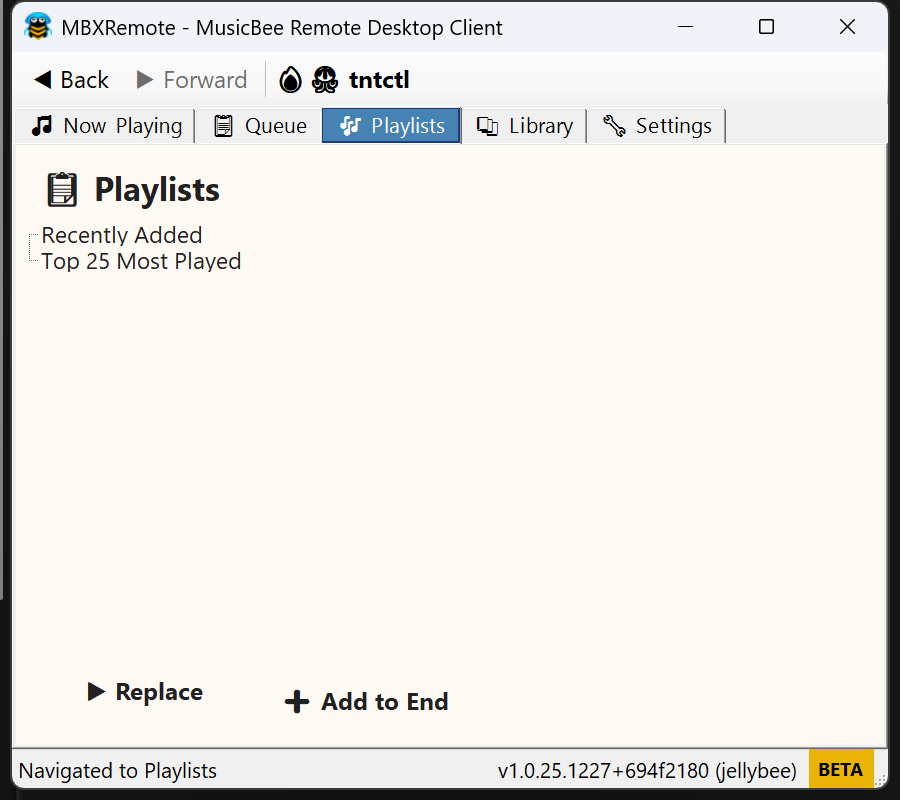
- Playlist Browser: View and play your MusicBee playlists
- Queue Playlists: "Add to Queue" appends playlist to now playing without replacing
- Play Next: Add tracks to play after the current song
- Clear Queue: Remove all tracks from the queue
User Interface
Tabbed Interface
Library Browser

- Tabbed Navigation: Switch between Now Playing, Library, Playlists, Queue, and Settings
- Mini Player: Compact floating window mode for minimal footprint
- System Tray: Minimize to system tray with context menu controls
- Dark/Light Themes: Automatic theme switching based on Windows settings
- High DPI: Crisp rendering on all display scales (100% to 300%)
Hotkeys & Automation
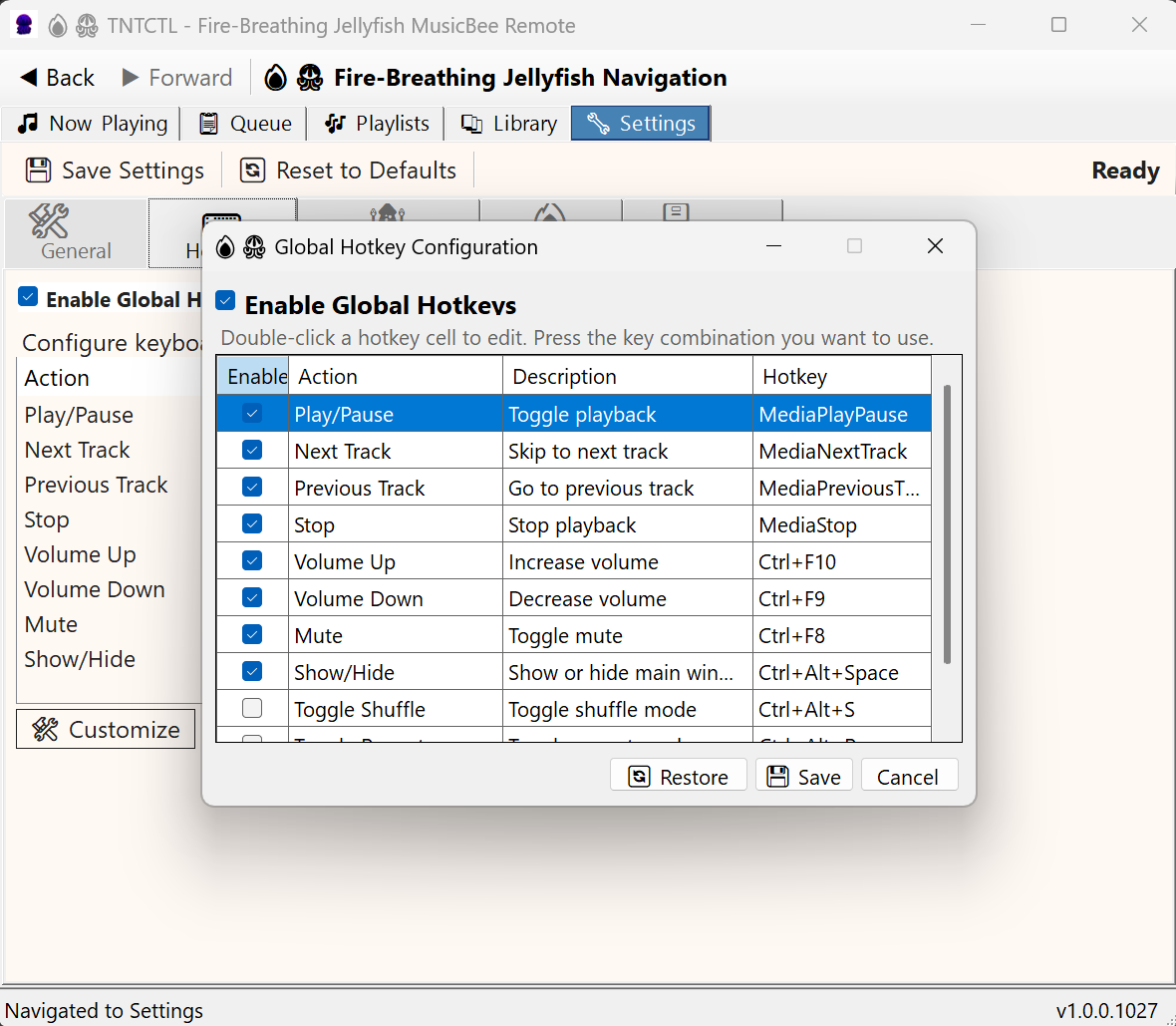
System-wide keyboard shortcuts for all major functions. Control playback even when MBXRemote is minimized.
Create custom hotkey macros with script commands. Chain multiple actions with delays for complex automation.
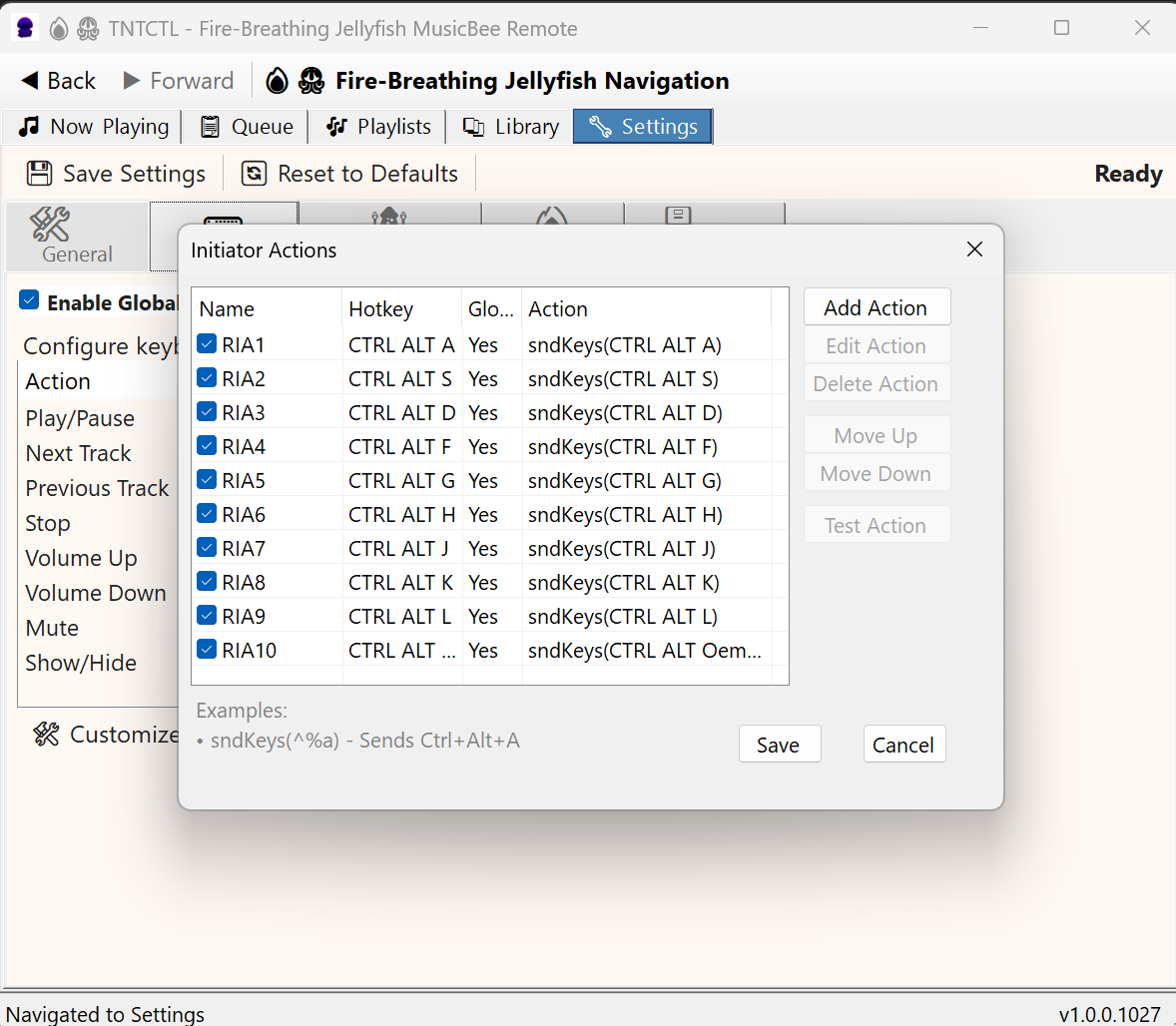
Navigate tabs 1-10 using Ctrl+Alt+ASDFGHJKL; keys. Send QWERTYUIOP combinations to MusicBee.
Support for media keyboard keys: Play/Pause, Next, Previous, Volume, Mute.
Initiator Actions Commands
Remote Initiated Actions (RIA) execute on the MusicBee host, enabling powerful automation of your jukebox/media center PC. Requires Plugin v1.5+ for enhanced features.
Send keyboard combinations to the MusicBee host. Trigger any MusicBee hotkey remotely.
Remote mouse clicks at screen coordinates on the host. Automate UI interactions.
Control Windows system volume on the host. Adjust up/down, mute, or set numeric steps.
Launch programs on the host with optional arguments. Start visualizers, scripts, or other apps.
Restart MusicBee or the entire host system. Recover from hangs remotely.
Add timing delays between commands. Essential for reliable automation sequences.
See Initiator Actions for complete documentation and examples.
Settings
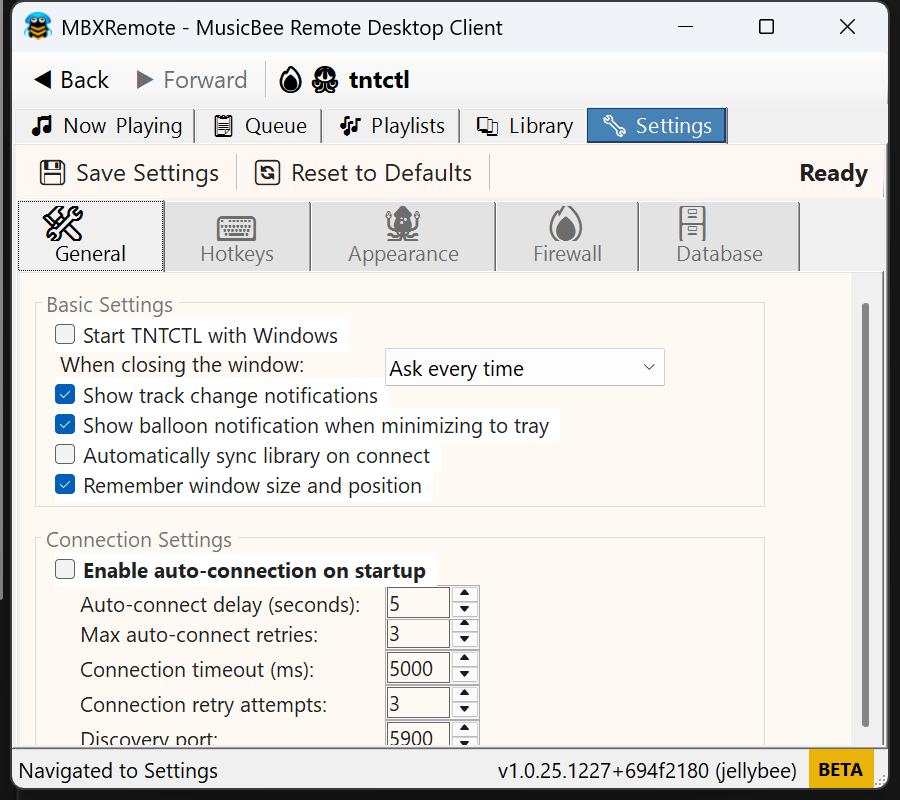
General Settings
Hotkey Settings
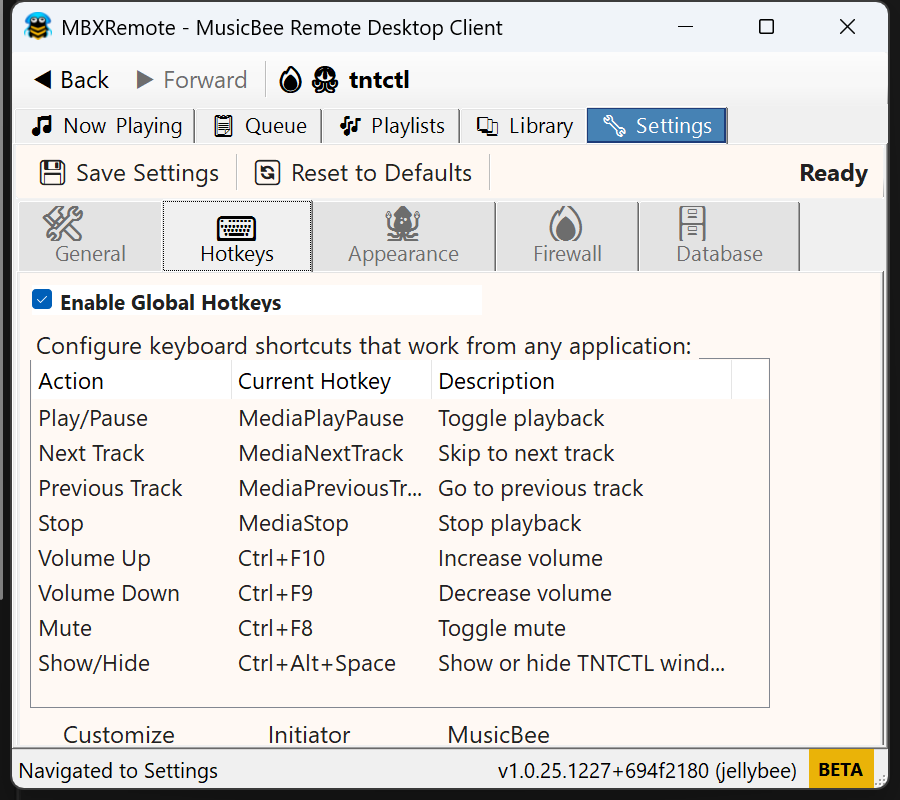
Hotkey Configuration
Initiator Actions
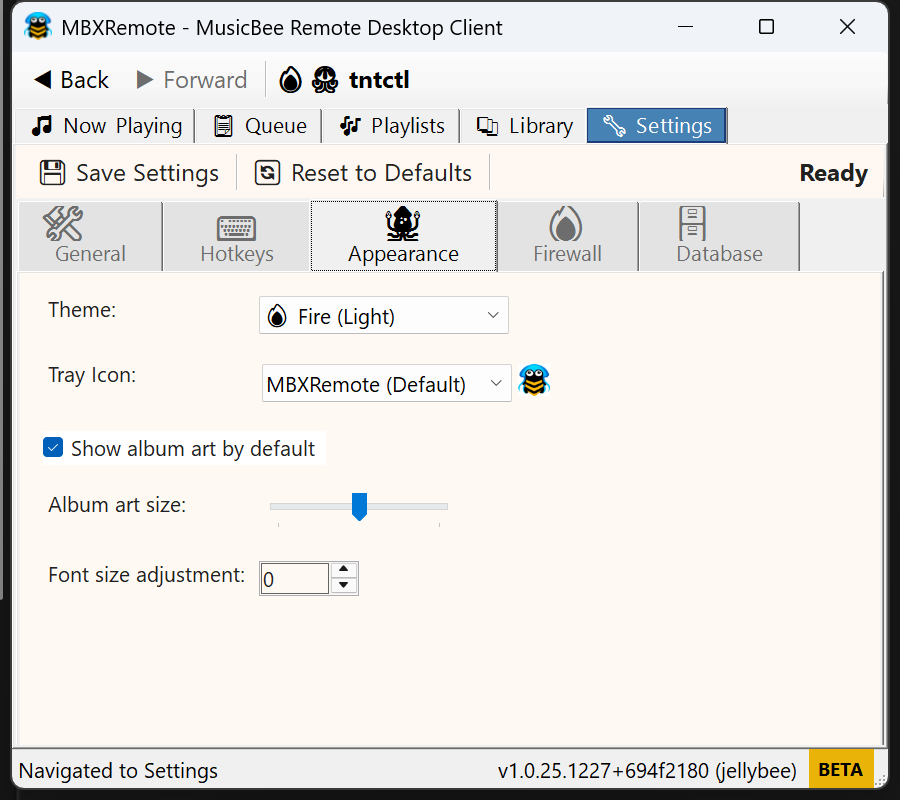
Theme Settings
Firewall Settings

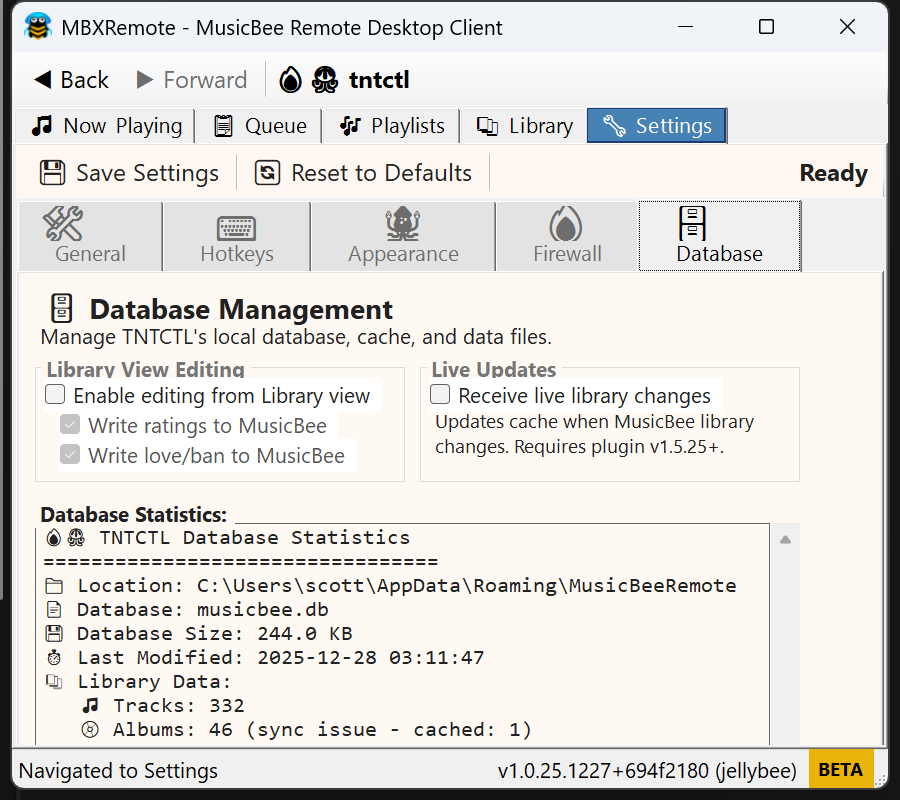
Database Settings
Settings Categories
- General: Startup, tray, window behavior, auto-connect
- Hotkeys: Global hotkeys and Initiator Actions configuration
- Appearance: Theme selection, album art display, font sizing
- Firewall: Connection settings, timeouts, discovery options
- Database: Library stats, sync status, maintenance tools
Performance
| Metric | Target |
|---|---|
| Startup Time | < 2 seconds |
| Library Sync | 10,000 tracks/minute |
| UI Response | < 100ms for all operations |
| Memory Usage | < 500MB for 200,000 track library |
| Tested Library Size | 70,000+ tracks |
| Target Library Size | 200,000+ tracks |