Features
MBXRemote is a comprehensive Windows desktop client for MusicBee Remote, implementing the full MusicBee Remote Protocol v4. Here's everything it can do.
Connection Management
Auto-Discovery
MBXRemote automatically discovers MusicBee instances on your network using UDP broadcast on port 5900. No manual IP configuration required.
Connection Favorites
Save frequently used connections as favorites for quick reconnection. The last used connection is remembered for convenience.
Auto-Reconnect
If the connection is lost, MBXRemote automatically attempts to reconnect with exponential backoff, ensuring minimal interruption.
Remote Desktop Access
One-click button to open a Remote Desktop (RDP) session to your MusicBee host. Quickly access the full MusicBee interface on your media center or jukebox PC when you need direct control.
Library Management
Complete synchronization of your MusicBee library to a local SQLite database. Browse 200,000+ tracks offline with instant search.
Efficient virtual list rendering handles massive libraries smoothly. Tested with 70,000+ tracks, designed for 200,000+.
Navigate your library by Genre, Artist, Album, or Track. Drill down through your collection with breadcrumb navigation.
Search across all metadata fields including title, artist, album, and genre. Real-time results as you type.
Playback Control
Full playback control: Play, Pause, Stop, Next, Previous. Click controls or use keyboard shortcuts.
Precise position control with scrub slider. Click anywhere to jump to that position in the track.
Multi-layer volume control visualization showing Hardware, System, App Mixer, and MusicBee internal volume levels.
Toggle shuffle mode and cycle through repeat modes (off, track, all). Visual indicators show current state.
Now Playing
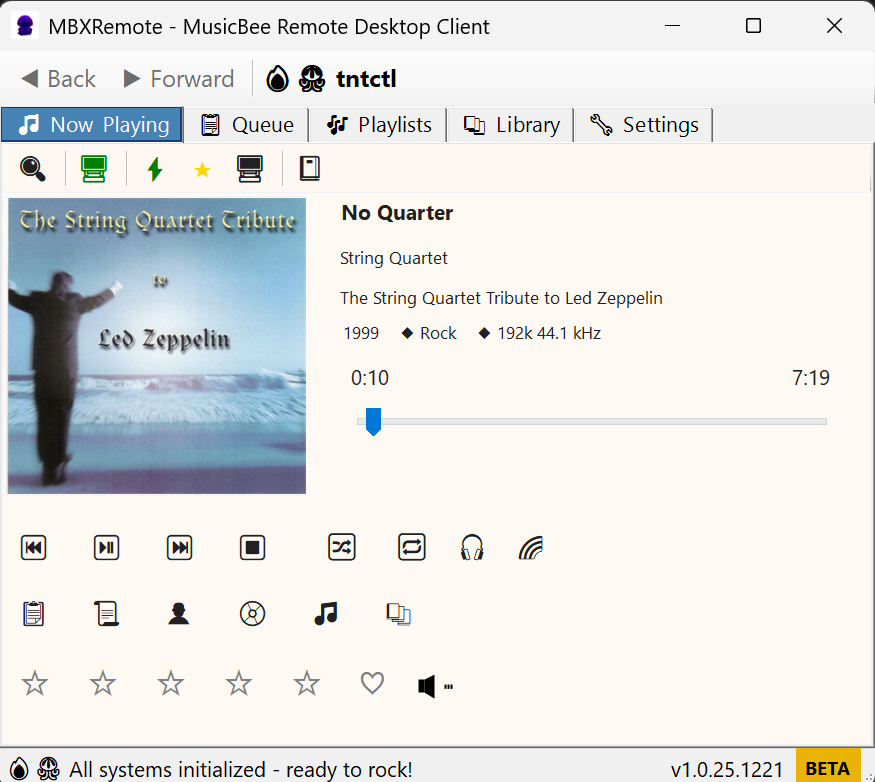
Now Playing View
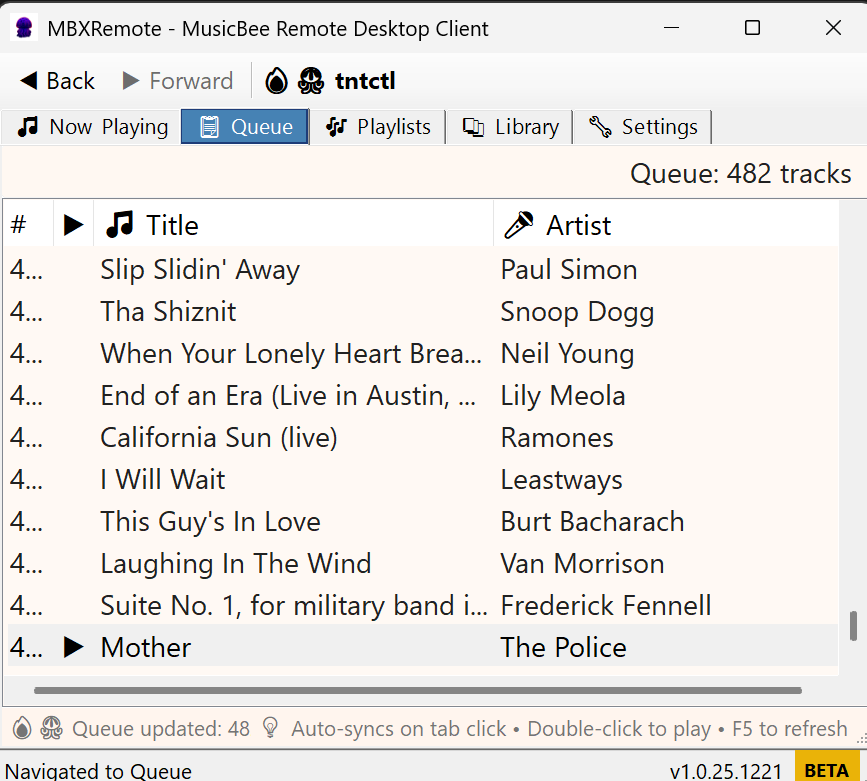
Queue Management
- Album Art: High-resolution cover art display
- Track Info: Title, artist, album, duration, rating
- Lyrics: Display synchronized lyrics when available
- Rating: 5-star rating with half-star support
- Love/Ban: Mark tracks as loved or banned
Queue & Playlists
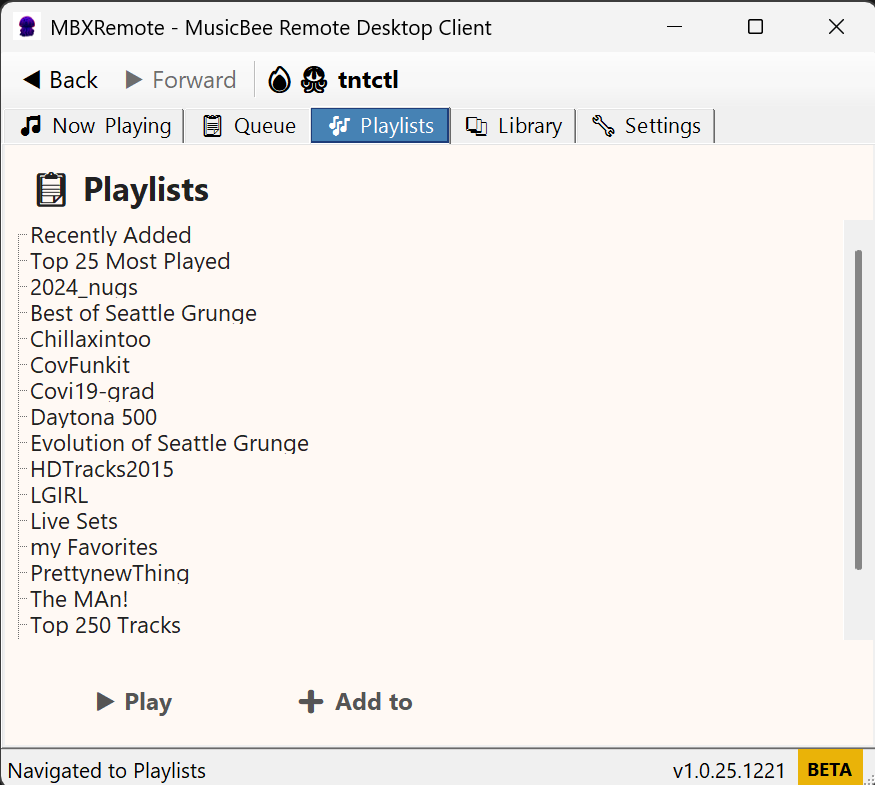
Playlist Management
- Queue View: See upcoming tracks in the play queue
- Drag & Drop: Reorder queue by dragging tracks
- Playlist Browser: View and play your MusicBee playlists
- Play Next: Add tracks to play after the current song
- Clear Queue: Remove all tracks from the queue
User Interface
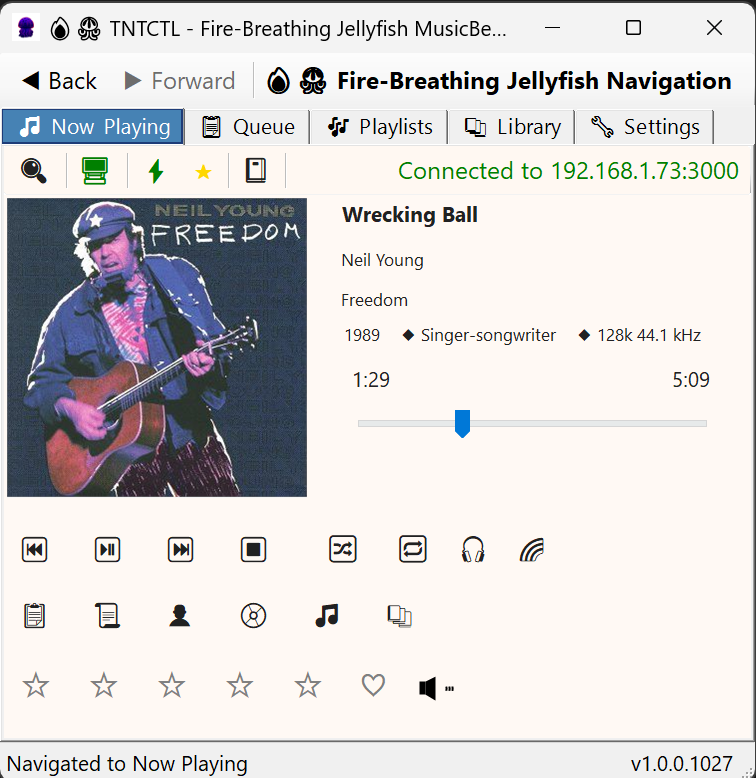
Tabbed Interface
Library Browser
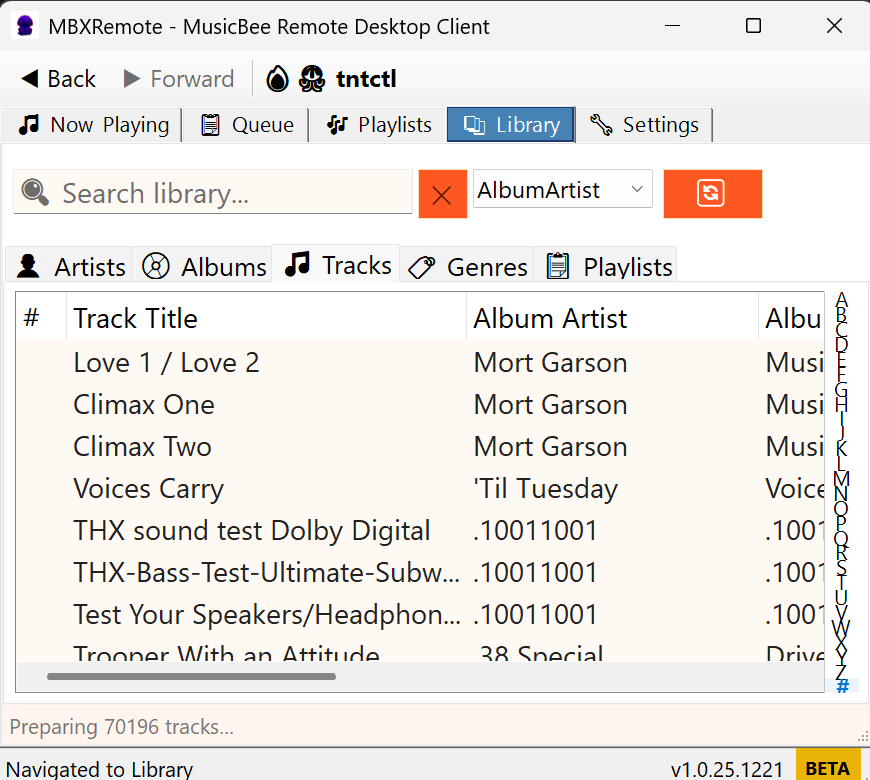
- Tabbed Navigation: Switch between Now Playing, Library, Playlists, Queue, and Settings
- Mini Player: Compact floating window mode for minimal footprint
- System Tray: Minimize to system tray with context menu controls
- Dark/Light Themes: Automatic theme switching based on Windows settings
- High DPI: Crisp rendering on all display scales (100% to 300%)
Hotkeys & Automation
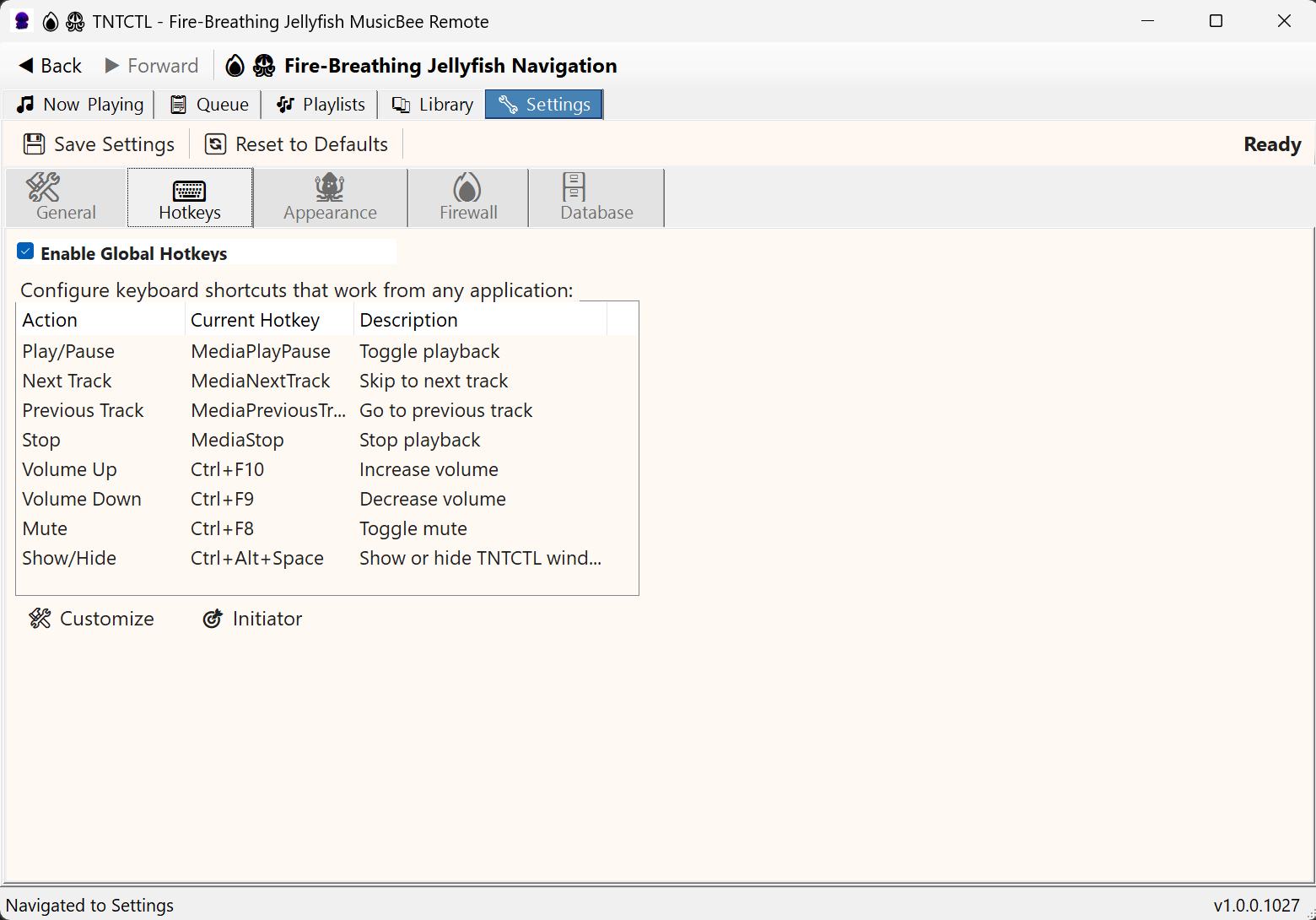
System-wide keyboard shortcuts for all major functions. Control playback even when MBXRemote is minimized.
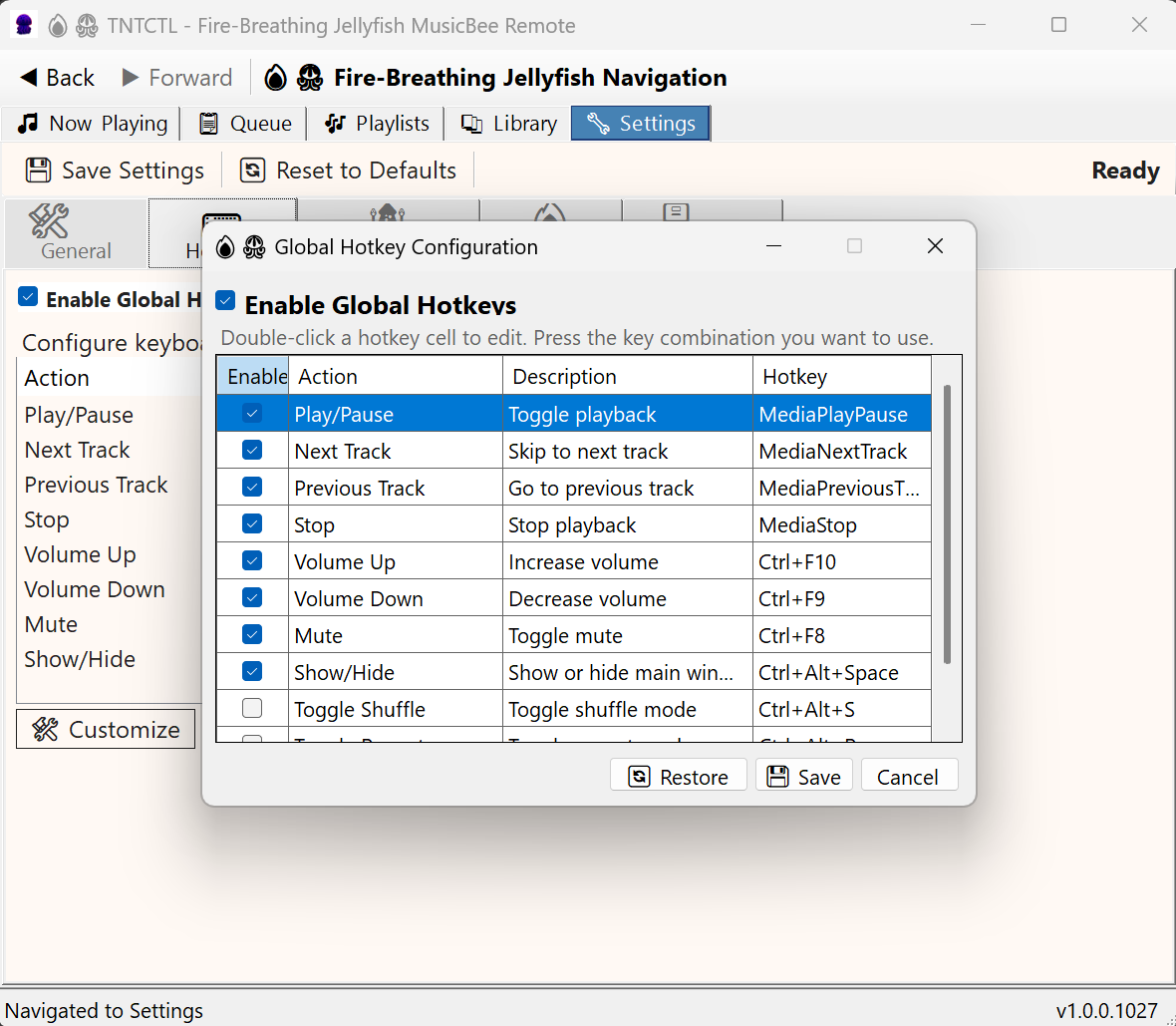
Create custom hotkey macros with script commands. Chain multiple actions with delays for complex automation.
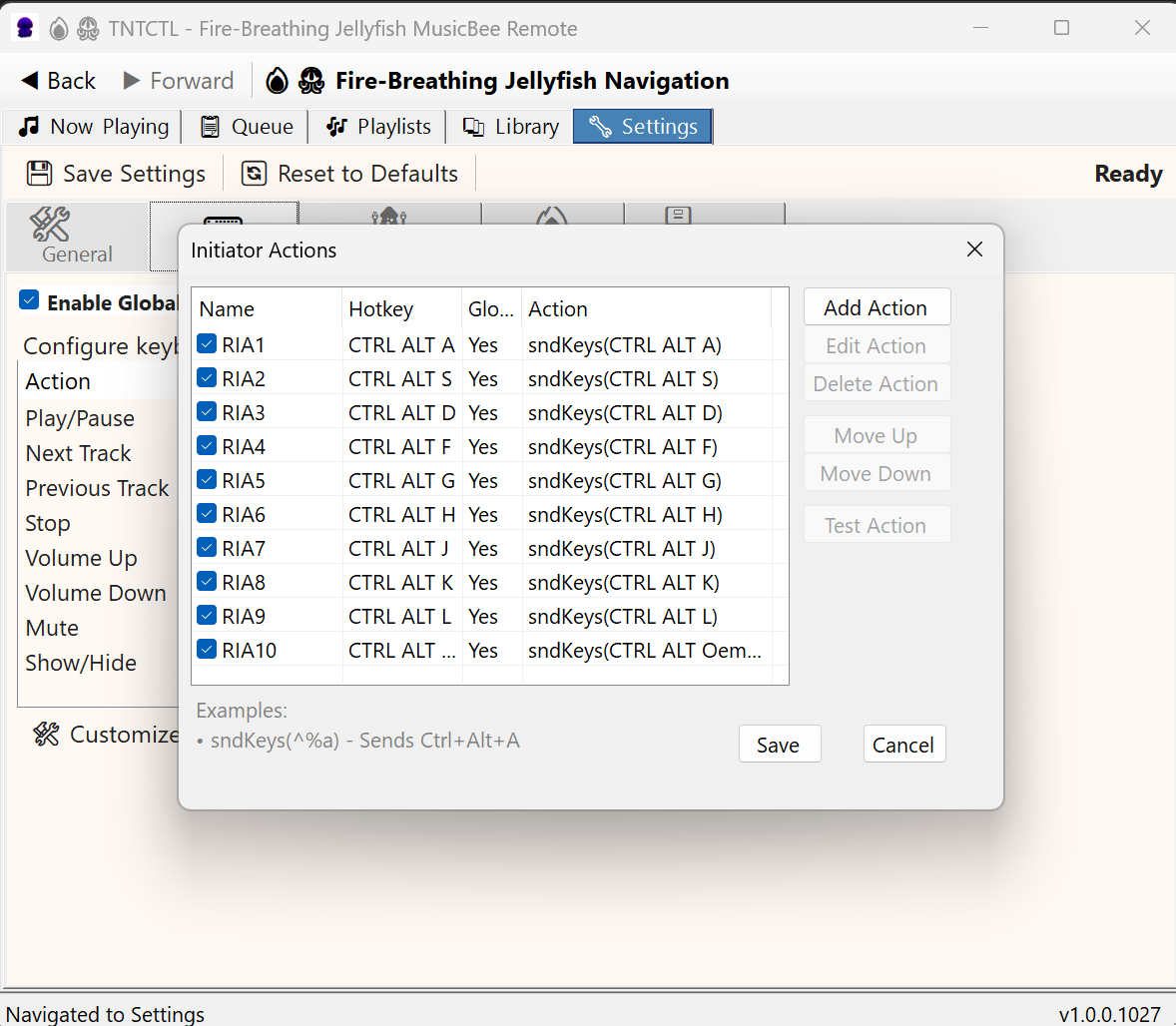
Navigate tabs 1-10 using Ctrl+Alt+ASDFGHJKL; keys. Send QWERTYUIOP combinations to MusicBee.
Support for media keyboard keys: Play/Pause, Next, Previous, Volume, Mute.
Settings
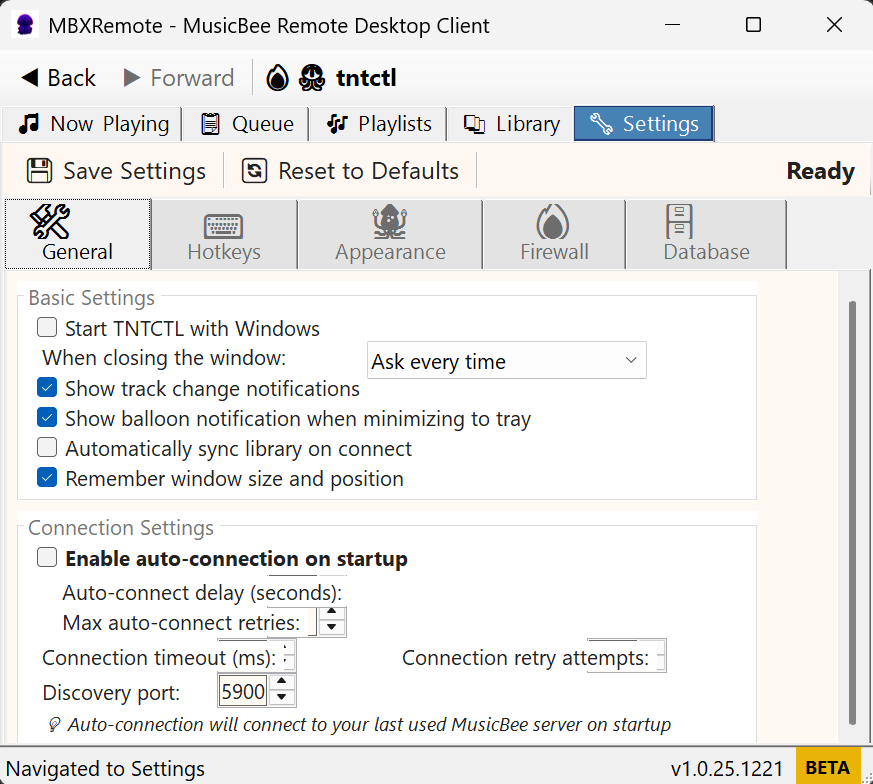
General Settings
Hotkey Settings
Hotkey Configuration
Initiator Actions
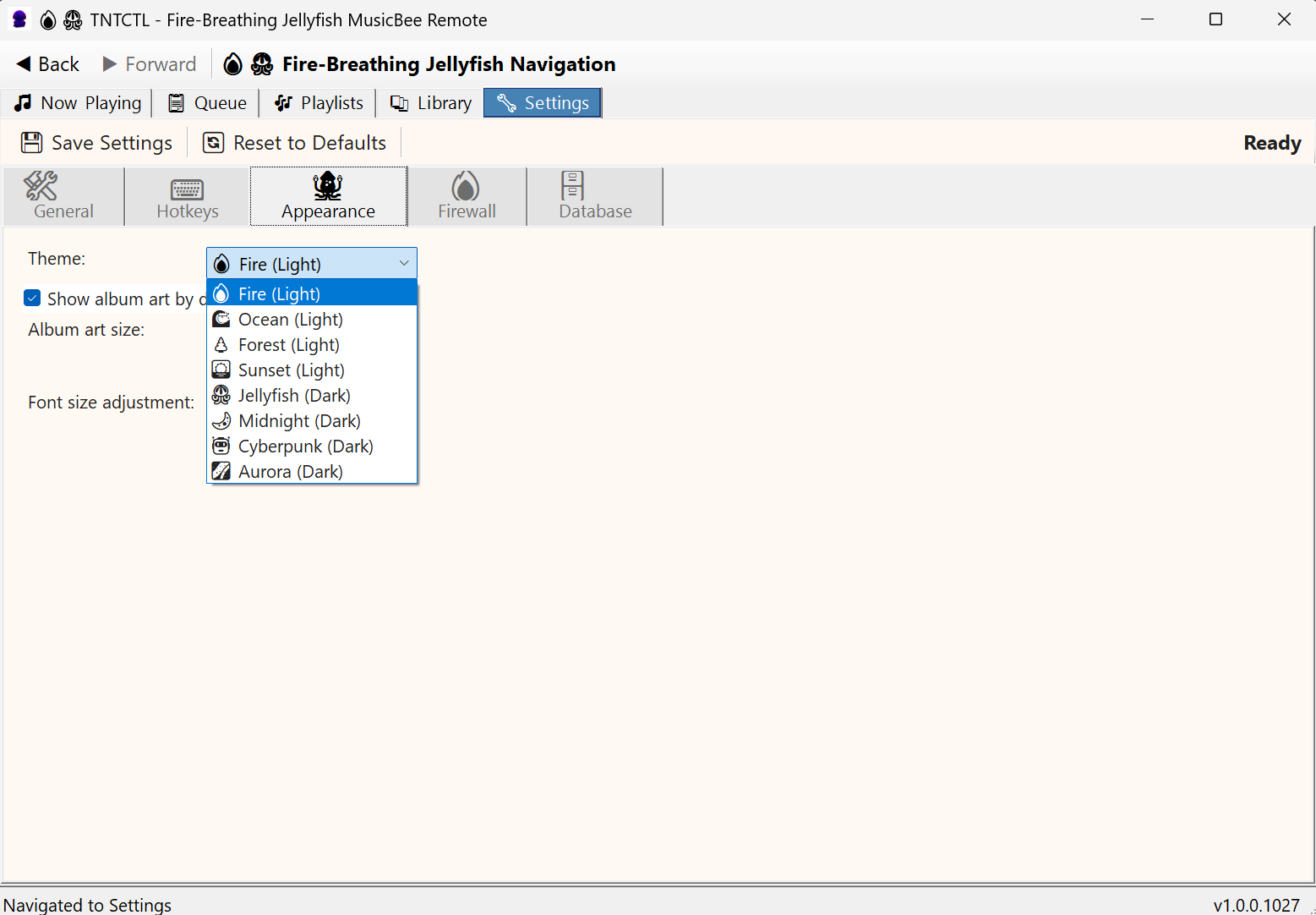
Theme Settings
Firewall Settings

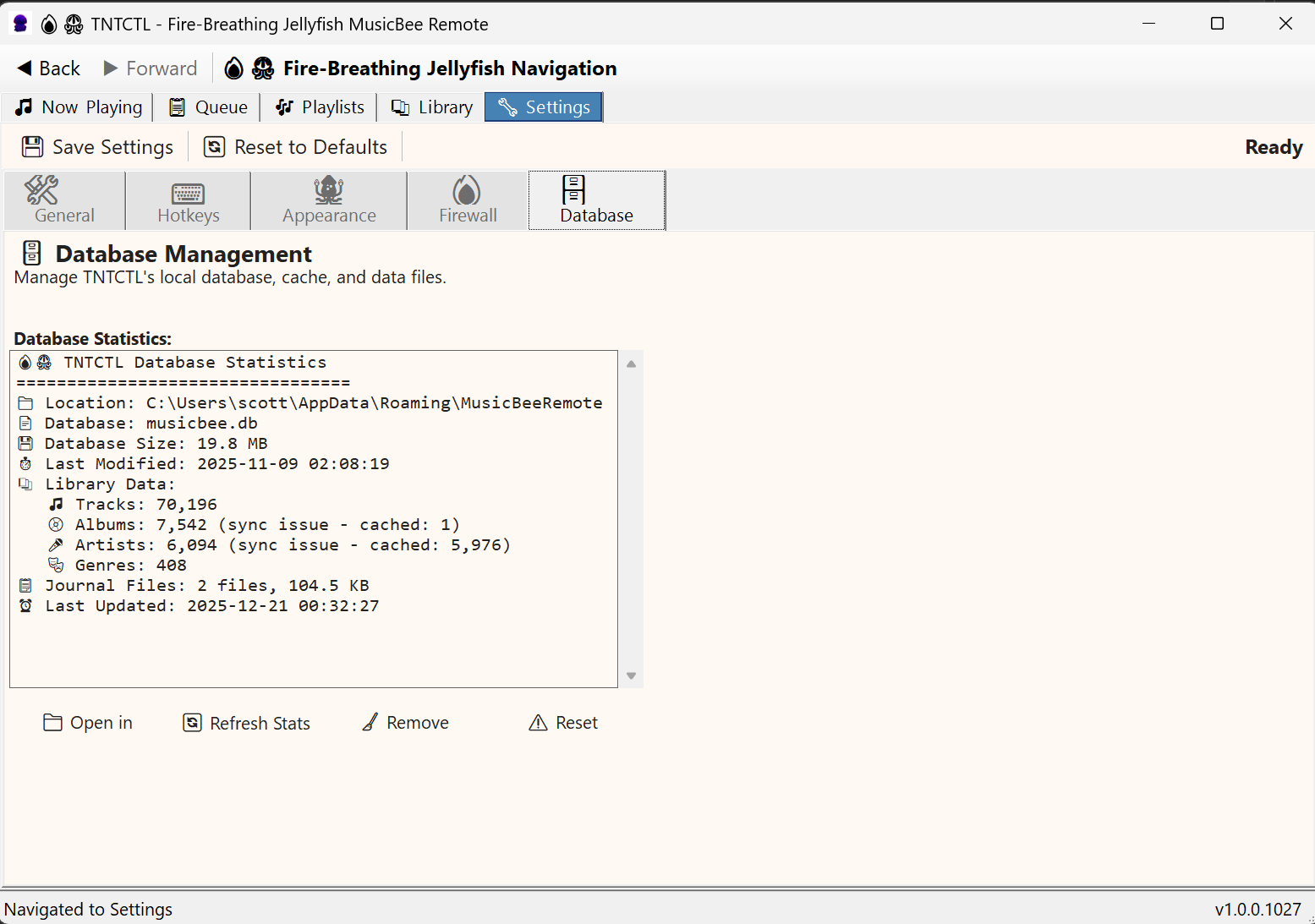
Database Settings
Settings Categories
- General: Startup, tray, window behavior, auto-connect
- Hotkeys: Global hotkeys and Initiator Actions configuration
- Appearance: Theme selection, album art display, font sizing
- Firewall: Connection settings, timeouts, discovery options
- Database: Library stats, sync status, maintenance tools
Performance
| Metric | Target |
|---|---|
| Startup Time | < 2 seconds |
| Library Sync | 10,000 tracks/minute |
| UI Response | < 100ms for all operations |
| Memory Usage | < 500MB for 200,000 track library |
| Tested Library Size | 70,000+ tracks |
| Target Library Size | 200,000+ tracks |